
Access Control for Luxury Homes: What It Means
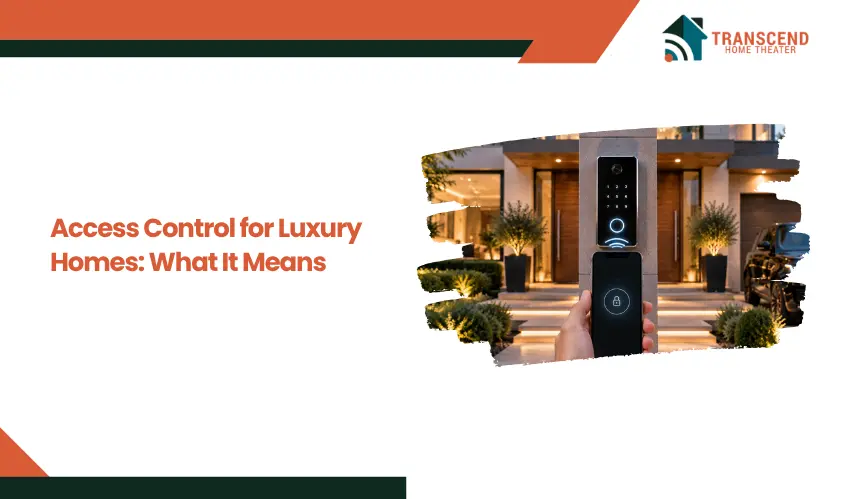
A Quick Answer: Access control for luxury homes is a security system that manages who can enter specific doors, gates, garages, or restricted areas and when that access is allowed. It can use PINs, smartphones, key fobs, access cards, or biometrics instead of relying only on physical keys. Luxury home systems can also assign different permissions to residents, guests, and staff, create access records, and integrate with cameras, intercoms, alarms, and smart home automation. The right setup depends on the property layout, user access needs, system reliability, and compatibility with existing security technology. |
Luxury homes often have multiple entry points, household staff, service providers, and frequent guests, making traditional keys difficult to control and track. Access control for luxury homes provides a more structured way to determine who can enter a property, which areas they can access, and when that access is permitted.
This guide explains what residential access control means, how it works, and what homeowners should consider when planning a system.
What Does Access Control Mean in a Luxury Home?
Access control is a security system that verifies a person’s identity and determines whether they have permission to enter a specific door, gate, or protected area. In a luxury residence, it replaces universal physical access with individually controlled entry permissions.
How Does Access Control Work?
An access control system follows a basic sequence: identify, authenticate, authorize, and grant or deny entry. A person first presents a credential, such as a PIN, smartphone, key fob, access card, or biometric identifier. The system reads that credential and checks it against stored access permissions.
If the credential is valid for that entry point and permitted time, the controller signals the electronic locking hardware to unlock. If the credential is invalid, expired, or outside its assigned permissions, entry remains restricted.
Connected systems can also create an access log showing when credentials were used and at which controlled entry point. This gives homeowners or property managers visibility into access activity without requiring physical supervision at every entrance.
Access Control vs. Traditional Locks
A traditional lock answers one question: does the person have the correct physical key? Once a key is copied or distributed, controlling its future use becomes difficult without recovering the key or changing the lock.
Access control adds an authorization layer. Individual credentials can be assigned specific permissions and, depending on the system, modified or revoked without replacing the door hardware. This creates more precise control over who can enter rather than treating every key holder as having the same level of access.
The distinction is therefore not simply physical key versus keyless entry. Access control combines authentication, authorization, electronic locking, and access records to make entry a managed security function rather than a fixed mechanical permission.
What Can a Luxury Home Access Control System Manage?
A luxury home access control system can manage entry at multiple layers of a property, from the perimeter to selected interior spaces. The objective is to place controlled access where entry needs differ, rather than applying the same security level throughout the residence.
1. Main Home Entrances
Front doors and secondary entrances are common access control points because they handle regular movement into and out of the home. Electronic door hardware or smart locks can secure these openings while allowing approved users to enter without relying on a conventional house key.
Separate entry points can also be managed independently. For example, a side or service entrance can operate under different access rules from the primary entrance, allowing the property’s security design to reflect how each doorway is actually used.
2. Gates, Garages, and Perimeter Entry
For gated luxury properties, access control can begin before someone reaches the residence. Driveway gates and pedestrian gates create a controlled perimeter where vehicles and visitors can be screened before entering private grounds.
Garage access adds another security boundary, particularly when an attached garage provides a direct route into the home. Coordinating these exterior entry points creates layered access, so crossing the property boundary does not automatically provide unrestricted entry to the residence itself.
For homeowners in Chevy Chase, MD, perimeter access planning may need to account for local fence, wall, and property-line requirements before adding a controlled pedestrian or driveway entrance. Some Chevy Chase jurisdictions maintain their own rules for fence height, placement, and permitting, so gate design should be coordinated with both access-control requirements and the regulations that apply to the specific property.
3. Restricted Areas Within the Property
Access control can also protect interior rooms that require a higher level of restriction than shared living spaces. Home offices, wine cellars, equipment rooms, storage areas, and other private spaces can be treated as separate access zones.
This approach is particularly relevant in large residences where different areas serve different functions. Instead of securing the entire interior uniformly, homeowners can establish controlled zones around spaces containing sensitive documents, valuable collections, property systems, or other assets that should not be accessible to everyone already inside the home.
What Types of Access Credentials Can Luxury Homes Use?
Luxury home access control systems can use several credential types, each suited to different security requirements, entry points, and user groups. The best choice depends on how frequently access changes, how much convenience is required, and how strongly identity needs to be verified.
PIN and Keypad Entry
Keypad access allows users to enter a numeric code instead of carrying a physical key or credential. Individual PINs can be assigned to different users, making it easier to identify which code was used and remove access without affecting everyone else.
Temporary or scheduled codes are especially useful when access is needed for a defined period. A code can be created for a contractor, housekeeper, or short-term visitor and disabled after the authorized window ends.
Mobile and Smart Device Access
Mobile credentials use a smartphone or compatible smart device as the user’s digital key. Depending on the platform, access may be granted through an app, Bluetooth, NFC, or another encrypted communication method.
This method is well suited to homeowners who want to manage credentials remotely or avoid distributing physical devices. Some systems also allow administrators to issue, update, or revoke mobile access without being physically present at the property.
Biometric Access
Biometric authentication verifies a physical characteristic, most commonly a fingerprint or facial pattern. Because the credential is tied to the individual rather than something they carry or remember, biometric access can provide stronger identity assurance at sensitive entry points.
Its use should be selective. Biometrics are generally more appropriate for areas where identity verification matters more than simple convenience, such as private offices, secure storage rooms, or other restricted spaces.
Cards, Fobs, and Other Credentials
Proximity cards and key fobs provide fast electronic access through a credential assigned to a specific user. They are commonly used where residents, staff, or property personnel need frequent entry without entering a code each time.
Unlike an unmanaged physical key, an electronic card or fob can typically be deactivated if it is lost or no longer needed. This makes credential replacement more controlled and reduces the need to change locks when access rights change.
How Access Permissions Work for Family, Guests, and Staff
Access permissions define the scope of entry after a user has been recognized by the system. In a luxury residence, permissions can reflect each person’s actual role on the property, including which locations they may enter and the periods when that access is valid.
Permanent Household Access
Residents generally require the broadest and most consistent access profile. Their credentials can cover everyday entry points and other approved areas without the time restrictions that may apply to occasional users.
Permissions can still differ within the household when necessary. A homeowner may retain access to secured rooms or property-management areas that do not need to be available through every resident credential. This creates a hierarchy based on actual access requirements rather than assuming everyone in the household needs identical privileges.
Scheduled Staff Access
Housekeepers, caregivers, landscapers, maintenance personnel, and other household staff often need recurring access without requiring unrestricted entry around the clock. Time-based permissions can align access with scheduled working hours and limit entry to the parts of the property required for their duties.
For properties that rely on several household or service professionals, separate user permissions can prevent multiple people from sharing the same credential. Each person can receive access based on their responsibilities and schedule, making individual access easier to modify when staffing or service arrangements change.
Temporary Guest Access
Guests often require broader entry than a service provider but only for a limited period. Temporary permissions can be configured around the duration of a visit, allowing access to designated entrances or guest areas without creating a permanent authorization.
When the approved period ends, the permission can expire or be removed. For homeowners who host visitors regularly, this separates hospitality from permanent security privileges and avoids leaving active access in place after a guest has departed.
How Access Control Fits Into a Luxury Home Security System
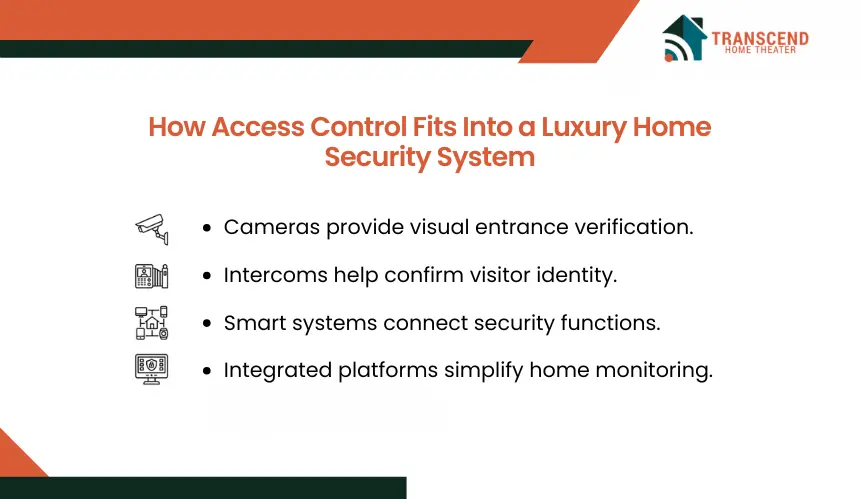
Access control determines whether entry is permitted, while other security technologies provide information about what is happening around that entry point. Connecting these functions can create a coordinated security workflow in which identification, communication, entry, and security response work together.
Video Surveillance and Video Doorbells
Cameras add visual context to controlled entrances. When positioned around doors, gates, garages, or other access points, video surveillance can show who approached an entrance and what occurred before or after an access event.
Video doorbells can serve a similar role at frequently used entrances by providing live or recorded views of visitors. When access control and video systems are compatible, an access event can be associated with corresponding camera footage, giving homeowners more context than an entry record alone provides.
Intercom and Visitor Entry
Intercom systems address situations where a visitor does not already have an authorized credential. A homeowner or designated property user can communicate with the person at an entrance, verify the purpose of the visit, and then decide whether to release a compatible gate or door.
This is particularly useful at entrances located away from the main residence. Instead of requiring someone inside the home to physically meet every visitor at the entry point, the verification and release process can occur through an integrated interface.
Smart Home and Security Integration
Access control can also connect with compatible alarm, lighting, surveillance, and home automation systems. Integration allows an entry event to act as an input for other programmed functions rather than requiring each system to operate independently.
For example, an authorized arrival could trigger selected exterior or interior lighting, while an attempted entry that violates configured security rules could initiate a different response through the security system. Centralized interfaces may also allow homeowners to view door status, security devices, and other connected systems from one control environment.
The practical value depends on system compatibility and programming. Integration should therefore be designed around specific security and automation functions rather than connecting devices simply because they support smart home technology.
What Should Homeowners Consider When Planning Access Control?
Planning access control starts with the property’s physical layout, daily access patterns, security priorities, and existing technology. The system should be designed around actual entry requirements so that security controls remain practical for everyday use.
1. Property Layout and Entry Points
Start by identifying every location where controlled entry would provide a meaningful security function. This can include the main residence, detached garages, guest houses, pedestrian gates, driveway entrances, and selected interior rooms.
Distance between buildings also matters. A credential reader or electronic lock at the house is different from a controlled gate located hundreds of feet away, where power, network connectivity, underground cabling, wireless coverage, and equipment exposure can affect system design.
In Chevy Chase, MD, the jurisdiction of the property can also affect exterior access-control planning. Different municipalities and sections within Chevy Chase maintain their own building or land-use requirements, so a project involving new gates, fences, structural modifications, or related exterior work should be checked against the rules that apply to that specific address before installation begins.
2. Who Needs Access and When
Homeowners should map users according to their relationship with the property and determine what each person actually needs to access. Residents, recurring household employees, contractors, delivery personnel, and visitors may require different entry paths and periods of availability.
This assessment prevents unnecessary access privileges from becoming part of the initial configuration. It also establishes a clearer framework for adding or removing users as household requirements change.
3. Security, Convenience, and Reliability
Stronger authentication is not automatically appropriate at every entrance. Frequently used doors may prioritize fast, convenient entry, while areas protecting sensitive assets may justify additional verification.
Reliability should also account for failure conditions. Homeowners should understand how controlled doors operate during a power outage, internet disruption, controller failure, or lost mobile device. Appropriate backup power, mechanical override options, and local system operation can prevent a technology failure from becoming an access problem.
In Maryland, exterior access equipment must also be selected for year-round outdoor exposure. Readers, electronic locks, gate components, and enclosures may encounter summer humidity, rain, freezing conditions, and temperature changes, making environmental ratings and installation conditions relevant to long-term reliability.
4. Integration With Existing Home Systems
Before selecting equipment, homeowners should determine whether the access control platform needs to communicate with an existing alarm system, surveillance network, intercom, smart home controller, or other building technology.
Compatibility should be verified at the protocol and product level rather than assumed from a “smart” label. A professionally planned system should define which platforms need to exchange information, what actions each integration must perform, and whether those integrations can remain supported as individual components are upgraded.
Frequently Asked Questions
Can access control be added to custom or older doors without replacing them?
Many existing doors can be retrofitted, but compatibility depends on the lock body, door construction, frame, and available space for electronic hardware. Mortise locks, multipoint systems, and custom architectural doors may require specialized hardware or modification. A door assessment should come before selecting readers, smart locks, strikes, or controllers.
Does a luxury home access control system have to use the cloud?
Not necessarily. Some systems use local controllers for authentication and door operation, while others depend more heavily on cloud services for administration, remote access, or mobile features. Homeowners should determine which functions remain available locally and which require internet connectivity or an active subscription before choosing a platform.
How can homeowners reduce cybersecurity risks with connected access control?
Treat connected locks and controllers as part of the home’s network security. Use strong authentication, enable multi-factor authentication where available, install manufacturer updates, review administrator accounts, and protect the network supporting security devices. NIST also recommends evaluating a smart product’s security and privacy capabilities before purchase.
What should electronic access control do during an emergency?
Electronic security should never create an unsafe exit condition. Applicable building and life-safety requirements generally require occupants to be able to leave through designated egress doors without special knowledge or credentials. The required release method depends on the locking hardware and installation, so emergency egress should be addressed during system design.
How much does access control for a luxury home typically cost?
Professionally installed access control commonly ranges from about $500 to $2,500 per controlled door, while higher-security or biometric configurations can exceed $2,000 per door. More complex integrated systems may reach $3,000 to $5,000 per opening once hardware, wiring, labor, and software are included. Custom doors, gates, and automation integrations can increase total project costs further.