
Smart Door Locks: What Homeowners Should Know Before Installing
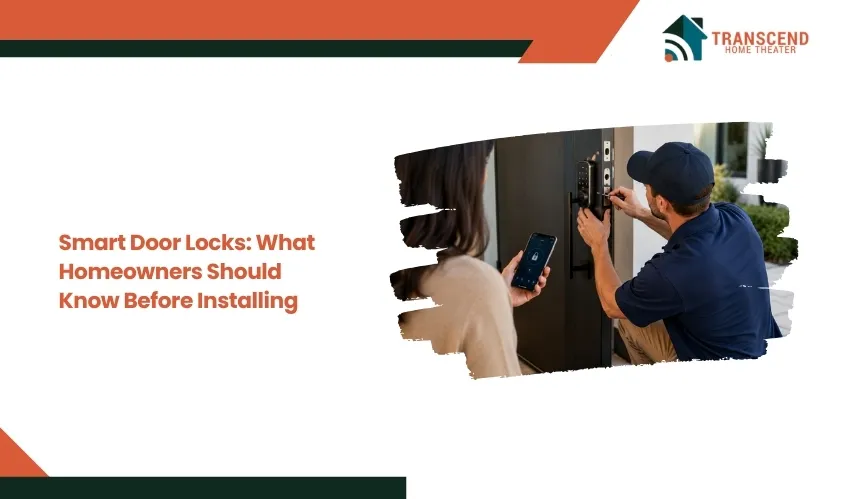
A Quick AnswerBefore installing a smart door lock, homeowners should check door and deadbolt compatibility, physical and digital security, connectivity requirements, battery performance, backup entry options, and smart-home compatibility. The best smart lock should fit the existing door correctly, provide reliable access during internet or power disruptions, and support the household’s preferred entry methods. Professional installation may be worthwhile when door modifications or broader home automation integration are required. |
Smart door locks can make everyday access easier, but the right model depends on more than keyless entry or app control. Door compatibility, lock security, connectivity, battery dependence, and backup access can all affect how reliably the lock works after installation.
Choosing without checking these factors can lead to installation problems, unreliable operation, or features that do not fit the household’s needs. This guide explains what homeowners should evaluate before installing a smart door lock so they can make a practical, informed decision.
Are Smart Door Locks Actually Secure?
Smart door locks can provide secure entry when strong physical hardware is combined with properly protected digital access. Their overall security depends on two layers: how well the lock resists physical entry and how effectively its electronic controls prevent unauthorized access.
How Secure Is the Physical Lock?
A smart lock is still a mechanical locking system at its core. Deadbolt strength, bolt construction, strike plate installation, door-frame condition, and resistance to forced entry remain central to physical security.
Electronic features cannot compensate for a weak deadbolt or poorly secured strike plate. Homeowners should look for hardware that meets recognized residential lock standards, such as ANSI/BHMA ratings, and confirm that the bolt extends fully into the strike without binding.
A secure installation allows the mechanical components to carry the physical load while the electronics control authorization.
How Do Smart Locks Protect Digital Access?
Smart locks typically use encrypted communication and authenticated accounts to control commands sent through an app, network, or connected smart-home system. Security therefore extends beyond the lock itself to the homeowner’s account, smartphone, Wi-Fi network, and the manufacturer’s software infrastructure.
Strong, unique passwords and multi-factor authentication should be enabled when supported. Firmware updates also matter because manufacturers can use them to correct security vulnerabilities discovered after a device reaches the market.
A lock that no longer receives software support can become a greater long-term risk even if its mechanical hardware remains functional.
Are Access Codes Safer Than Sharing Keys?
Individual access codes provide more control than distributing copies of the same physical key, particularly when different people need entry at different times. Many smart locks allow homeowners to create separate PINs for household members, guests, cleaners, contractors, or other authorized visitors.
Temporary or recurring codes can restrict access to a defined period, while revoked codes can remove permission without changing the physical lock. Homeowners should avoid assigning predictable PINs or giving multiple users one shared code.
Separate credentials make access easier to manage and, on compatible models, allow activity records to identify which credential was used.
Will a Smart Lock Work With Your Existing Door?
A smart lock will only operate correctly if its hardware matches the door and the deadbolt can move freely. Before buying one, homeowners should check the existing lock configuration, door dimensions, alignment, and the installation requirements specified by the manufacturer.
Is Your Door and Deadbolt Compatible?
Most residential smart deadbolts are designed around common door preparations, but compatibility is not universal. Key measurements include door thickness, backset, bore-hole diameter, and the spacing and position of existing hardware. Some models also require a specific deadbolt configuration or enough interior clearance for the battery housing and motor assembly.
Homeowners should compare these measurements with the manufacturer’s specifications before purchasing. This is particularly relevant when upgrading older homes in Frederick, MD, where existing doors or lock preparations may not match the dimensions expected by newer smart-lock hardware.
Does Door Alignment Affect a Smart Lock?
Yes. A motorized deadbolt needs to extend and retract with minimal resistance. A sagging door, shifted frame, tight deadbolt, or misaligned strike plate can force the lock’s motor to work against mechanical resistance.
Before installation, close the door and operate the existing deadbolt manually. If it requires pushing, pulling, or lifting the door to turn smoothly, the alignment should be corrected first. Installing a smart lock without resolving the underlying fit can cause failed locking attempts, inconsistent auto-lock operation, and unnecessary strain on the motor and batteries.
Should You Replace the Entire Lock or Use a Retrofit Model?
A full-replacement smart lock replaces most or all of the existing deadbolt hardware, making it suitable when homeowners want a new exterior keypad, fingerprint reader, key cylinder, or complete locking assembly.
A retrofit smart lock typically installs over the interior side of a compatible existing deadbolt while retaining more of the original exterior hardware. This can reduce physical modification and preserve the existing keyway or exterior appearance.
The better option depends on the current deadbolt, door preparation, desired entry methods, and how much existing hardware the homeowner wants to retain. Checking these conditions before selecting a model prevents compatibility problems from becoming installation problems later.
What Smart Lock Features and Connections Do You Need?
The right smart lock features depend on how homeowners want to enter the house, manage other users, and control the lock remotely. Entry methods and connectivity should solve specific access needs rather than add functions that will rarely be used.
Which Entry Method Should You Choose?
Smart locks may support a keypad, smartphone app, fingerprint reader, physical key, or a combination of these methods. Each serves a different access scenario.
Keypads work well when household members need keyless entry without carrying a phone. Fingerprint access can reduce the number of steps required for frequent users, while app-based entry provides digital control through a compatible smartphone. A physical key can provide a familiar secondary entry method on models that retain a key cylinder.
Before choosing, consider who regularly uses the door. Children, older family members, guests, cleaners, or service providers may not all benefit from the same authentication method.
Bluetooth, Wi-Fi, Thread, or Matter: What Is the Difference?
Connectivity determines how a smart lock communicates with phones, networks, and other smart-home devices. Bluetooth generally enables nearby phone-to-lock communication without requiring the lock to maintain a direct internet connection.
Wi-Fi can support internet-based remote access, although some locks connect through a separate bridge or hub rather than directly to the home network. Because maintaining wireless connections consumes power, connectivity architecture can also affect battery demands.
Thread is a low-power mesh networking protocol designed for connected devices. Matter is a smart-home interoperability standard rather than a wireless radio itself and can operate over technologies such as Thread or Wi-Fi.
Homeowners considering Matter-compatible locks should verify that their existing smart-home platform and required controller or border-router hardware support the specific device.
Which Remote and Smart-Home Features Are Useful?
Remote access is valuable when homeowners need to confirm whether a door is locked, operate it while away, or receive notifications about lock activity. Depending on the model and ecosystem, smart locks can also provide access logs, door-status alerts, scheduled locking, and integration with compatible smart-home automations.
Integration becomes more useful when the lock works with systems already installed in the home. For example, an authorized unlock event could participate in an automation involving compatible lighting, security, or other connected devices. Compatibility should be confirmed at the product level because support varies by lock, platform, protocol, and feature.
For homeowners planning smart door lock installation in Frederick, MD, Transcend Home Theater can help integrate smart locking technology with a compatible home automation setup. Professional planning can ensure the selected lock and connected-home ecosystem work together as intended rather than operating as isolated devices.
What Happens to Your Smart Locks When the Power, Battery, or Internet Goes Out?
Most smart locks do not automatically become unusable during a household power or internet outage. The outcome depends on how the lock is powered, which functions operate locally, and what backup entry options the specific model provides.
How Long Do Smart Lock Batteries Last?
Most residential smart locks run on replaceable or rechargeable batteries rather than the home’s electrical supply. Battery life varies by model, wireless connection, usage frequency, temperature, and how often the motor encounters resistance.
Compatible locks typically provide low-battery warnings through the keypad, app, audible alerts, or a combination of these methods. These warnings should be treated as a maintenance signal rather than waiting for the lock to stop operating.
In Frederick, MD, smart locks installed on exterior doors can experience both freezing winter temperatures and hot, humid summer conditions. Because temperature extremes can reduce battery performance or shorten usable battery life, homeowners should use the battery type specified by the lock manufacturer and pay closer attention to low-battery alerts during seasonal temperature swings.
Will a Smart Lock Work Without Power or Internet?
A household power outage generally does not stop a battery-powered smart lock from performing its basic locking functions. However, associated equipment such as Wi-Fi routers, bridges, hubs, or smart-home controllers may lose power unless they have backup power.
An internet outage creates a different limitation. Functions processed locally, such as entering a valid keypad code, may continue to work on supported models, while cloud-dependent features such as remote operation or certain notifications may become temporarily unavailable.
Exact offline behavior varies by product, so homeowners should verify which functions remain available before relying on the lock as part of a connected-home system.
What Backup Entry Options Should You Have?
A smart lock should have a practical fallback method that does not depend on the homeowner’s usual phone or network connection. Depending on the model, this may include a physical key, functioning keypad, external emergency power terminals, or another manufacturer-supported recovery method.
Before relying on the lock for daily access, homeowners should know exactly how its emergency entry procedure works. Physical keys should remain accessible without being stored somewhere that compromises security, while emergency power procedures should be tested according to the manufacturer’s instructions. Planning for these failure conditions reduces the risk of a depleted battery or connectivity problem turning into a lockout.
Can You Install a Smart Lock Yourself or Should You Hire a Professional?
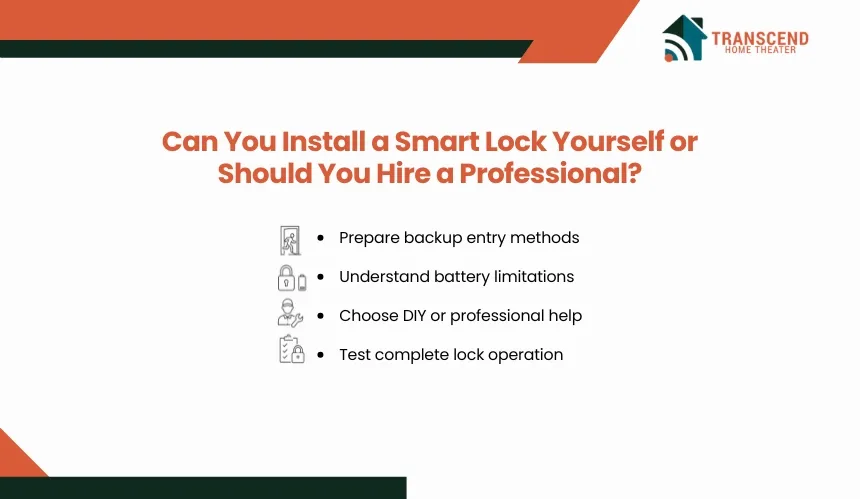
DIY installation can work when a compatible door is already properly prepared and the smart lock is designed as a direct replacement. Professional installation becomes more appropriate when fitting the hardware requires door modifications, mechanical adjustments, or coordination with a broader smart-home system.
When Does DIY Installation Make Sense?
A homeowner can often handle installation when the existing deadbolt can be removed cleanly, the new lock fits the current door preparation, and the manufacturer provides a straightforward replacement procedure. Basic installation commonly involves removing the old hardware, positioning the exterior and interior assemblies, securing the mounting plate, and completing the manufacturer’s initial setup.
DIY installation should stay within the product instructions. Drilling new holes, altering the door, or improvising around incompatible hardware changes the scope from simple replacement to door and lock modification.
When Is Professional Smart Lock Installation Worth It?
Professional installation is worth considering when the door requires drilling, strike-area modification, hardware adaptation, or other work beyond a direct lock replacement. Older or nonstandard doors can also require more careful fitting to preserve proper operation and avoid damaging the door.
Professional assistance can be particularly useful when a smart lock is being added as part of a larger home automation project. The installer can account for the lock’s platform requirements and coordinate it with compatible connected systems rather than treating it as a standalone device.
What Should Be Tested After Installation?
Installation is not complete when the hardware is mounted. The lock should be calibrated according to the manufacturer’s procedure, then tested repeatedly with the door both open and closed to confirm consistent operation.
Homeowners should also complete app pairing, install available firmware updates, configure intended users, review auto-lock settings, and verify remote functions where applicable. Finally, test the lock’s designated backup-entry method before it is needed. This commissioning process confirms that the mechanical installation and configured smart functions operate as expected.
Ready to make smarter access part of a more connected home? Transcend Home Theater provides smart home, security, entertainment, networking, and automation solutions across Maryland, Virginia, and the DC area. Get in touch to build a connected home system designed around how you live.
Frequently Asked Questions
Do smart door locks require a monthly subscription?
Most consumer smart locks do not require a monthly subscription for basic locking, unlocking, or app control, but paid plans can apply to certain cloud, monitoring, or bundled smart-home services. Before purchasing, check which features are included permanently and whether remote access, activity history, or third-party integrations depend on recurring fees.
What happens if the smart lock manufacturer stops supporting the app?
Cloud-dependent features can become limited if a manufacturer discontinues its app, servers, or product support. Local functions may continue depending on the lock architecture. For better long-term resilience, consider devices supporting local control or interoperable standards rather than relying entirely on a proprietary cloud platform.
Are smart locks a good option for renters?
Smart locks can work for renters when the lease permits hardware changes and the original lock can be restored at move-out. Retrofit models are particularly useful because some mount over an existing deadbolt without changing exterior hardware. Renters should also clarify who controls administrator access, entry records, and associated smart-home fees.
Can installing a smart lock lower homeowners insurance?
A smart lock alone does not automatically reduce homeowners insurance premiums. Some insurers offer protective-device discounts for qualifying security systems or connected-home technology, but eligibility varies by company, device, monitoring arrangement, and state. Maryland homeowners should ask their insurer specifically what equipment qualifies before treating an installation as an insurance-saving measure.
What privacy information should you check before buying a smart lock?
Review what the manufacturer collects, where information is stored, and who can access it. Depending on the product, data may include account details, access logs, timestamps, geofencing information, or biometric templates. Homeowners should also check retention, deletion, app permissions, cloud-processing requirements, and account-transfer procedures before enrolling household members.
Can a smart lock handle Frederick, MD weather year-round?
That depends on the environmental rating of the components exposed outdoors. Frederick experiences seasonal heat, humidity, rain, freezing conditions, and winter weather, so homeowners should verify operating-temperature limits and weather-resistance ratings for the exterior keypad or reader. Do not assume the entire smart-lock assembly is weatherproof simply because part of it sits outside.
What should you do with a smart lock when selling your home?
Remove personal access codes, guest credentials, integrations, automations, and stored account connections before transferring the property. Then follow the manufacturer’s ownership-transfer or factory-reset procedure. The buyer should create a separate administrator account rather than inheriting yours, especially when the lock is connected to other security or home-automation devices.